Google Business Profile Photos for Clinics: The Complete Guide
Key Takeaways
- Listings with professional photos receive 94% more views
- Your GBP photos form the first impression for most patients
- Include 15-20 photos covering exterior, reception, treatment rooms, team, and equipment
- Update with 3-5 new photos monthly to signal an active business
- Never use stock photos — they undermine trust and may be flagged by Google
Your Google Business Profile (formerly Google My Business) is the single most important local marketing asset for any UK clinic. When patients search for "clinic near me" or "dentist in [city]", your GBP listing appears — and the photos determine whether they click through to your website or scroll past to a competitor.
Why GBP Photos Matter More Than You Think
Google's own data shows that business listings with professional photos receive 94% more views and 42% more direction requests than those without. For clinics, this translates directly into more phone calls, more website visits, and more booked consultations.
Most patients never visit your website before making initial contact. They find you on Google Maps, look at your photos and reviews, and either call or move on. Your GBP photos are doing the heavy lifting of your first impression — and you need to ensure they're working hard for you.
The Essential GBP Photo Set for Clinics
1. Cover Photo: This is the hero image that appears when patients first see your listing. Choose your best clinic exterior or a warm, welcoming reception shot. It should instantly communicate professionalism and cleanliness.
2. Logo: Your clinic logo, correctly sized and high-resolution. This appears as your avatar across Google products.
3. Exterior Photos (2-3): Show the front of your clinic, signage, and entrance. Patients want to know what to look for when they arrive. Shoot in good light, ideally golden hour for the most flattering results.
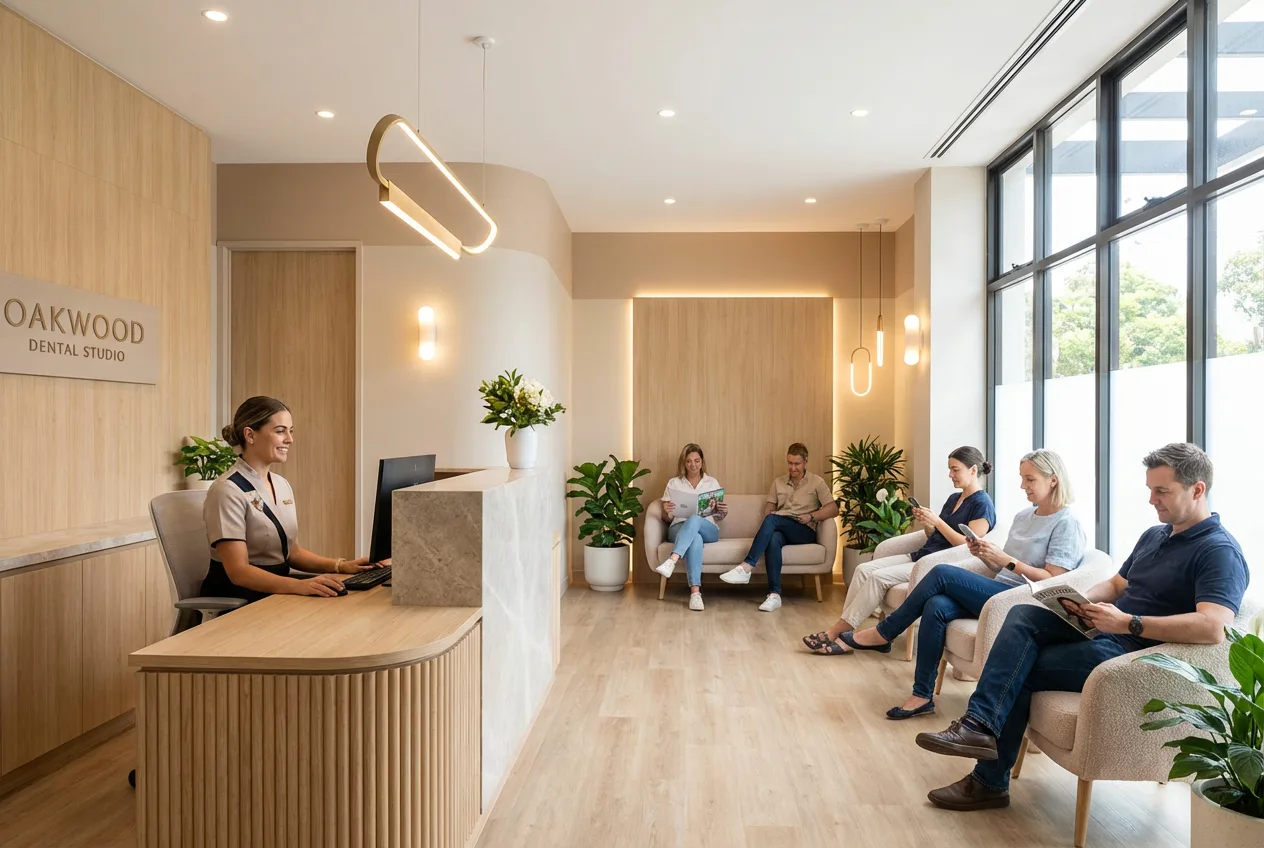
4. Reception and Waiting Area (3-4): Clean, welcoming, well-lit shots of your reception desk and waiting area. These are the first spaces patients experience and should look as inviting as possible.
5. Treatment Rooms (4-6): Professional photos of your treatment rooms with equipment visible. For dental practices, include the chair and modern equipment. For aesthetic clinics, show the clean, clinical environment alongside comfort elements.
6. Team Photos (3-5): Professional headshots and team photos. Patients want to see the people who'll be treating them. Friendly, approachable, and professional — not stuffy or corporate.
7. Equipment and Technology (2-3): If you've invested in modern equipment, show it. Patients associate modern technology with better outcomes.
GBP Photo Technical Requirements
Google recommends photos between 720px-2048px, in JPG or PNG format. However, the quality of the photography matters far more than the file size. Professional, well-lit images with proper white balance and composition will always outperform amateur shots, regardless of resolution.
How Often Should You Update GBP Photos?
Google rewards active profiles. We recommend adding 3-5 new photos per month — seasonal updates, new team members, equipment upgrades, or recent refurbishments. This signals to Google that your business is active and helps your listing rank higher in local search results.
Common GBP Photo Mistakes to Avoid
Don't use stock photos — Google's AI can detect them and they undermine patient trust. Don't upload low-quality phone photos with poor lighting. Don't include images with visible patient information or identifiable patients without consent. And don't neglect your GBP photos — an empty or outdated gallery signals a clinic that doesn't care about its presentation.
In Focus by Zain includes Google Business Profile-optimised photo sets in all our clinic photography packages. We deliver images formatted specifically for GBP requirements, with the right dimensions, quality, and composition to maximise your listing performance. Book a free consultation to discuss your GBP photography.
Frequently Asked Questions
How many photos should a clinic have on Google Business Profile?
We recommend a minimum of 15-20 professional photos covering your exterior, reception, treatment rooms, team, and equipment. Active profiles should add 3-5 new photos monthly.
Can I use stock photos on Google Business Profile?
We strongly advise against it. Google's AI can detect stock images, and patients can tell they're not authentic. Use real, professional photos of your actual clinic.
How do GBP photos affect local SEO rankings?
Google rewards active, complete profiles. Clinics with professional, regularly updated photos typically rank higher in local search results and Google Maps.
Ready to Transform Your Visual Content?
Book a free consultation and get a custom content strategy for your business.
Book Free ConsultationRelated Articles
Related: Clinic Photography Services · View Pricing · More Articles